
Your next experience
starts with a call.
Bring a block you like, or simply the space, the audience and the deadline. We’ll help you find the right place to start.
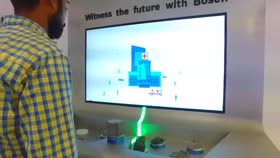

Let’s talk about Cartography Museum.
Bring this reference to your call or include it in your email.Tell us what
you’re imagining.
Explore the blocks, see the workflow and discuss the setup and pricing for your project.
Choose a timeShare your intent, then choose a time.- 01
The space
Where it will live, who will visit and what hardware you have.
- 02
The idea
What you want people to do, feel or discover.
- 03
The practical details
Your deadline, budget and the content already prepared.
01How do I choose between Blocks, XR and Companion?
Choose Blocks for reusable interactive moments, XR for headset-based spatial storytelling, and Companion for a personal guide on the visitor’s phone. We can help match the format to your audience and space.
02What should we prepare before a project starts?
Bring the audience, space, deadline and budget, along with any content, brand assets and existing hardware details. This helps us confirm what can be configured immediately and what needs additional preparation.
03What is a block?
A reusable interactive experience with its core behaviour already built. Choose a block, add your content and branding in WEEV Studio, then run it with Player.
04What can we customise?
Content, branding and the available visual settings. Each block has its own configuration options; its page explains what can change. Experiences beyond those options can be scoped with DJX Labs.
05What does WEEV Studio do?
Studio is the control centre: choose blocks, manage content in the built-in CMS, customise visuals and preview your work. It runs locally on your machine, and exports your finished experience to Player.
06What does Player do?
WEEV Player runs the exported experience on the installation and provides analytics to help you understand interaction and engagement.